
Creating a Session
1. Select the Groups & Classes tab

2. Navigate to the Group/Class for which you are adding clients
For "View," select the current fiscal year list of groups & classes and click "Go!". Then click on the group/class name you were looking for.

3. Click Schedule Session to create a new session.

If you already created the session previously you can go into the session by clicking on the Group Service entry that corresponds with the date you want to look at.

4. Add the Start Time, Date and Duration of your group.
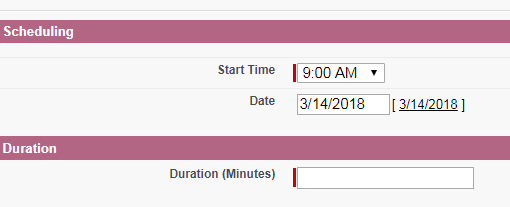
Adding Clients to the Group
You will add clients into the class based on how they were originally entered into the database. Clients with case records are in the Main Client section, family members other than the main client are in the Case Participants section, and clients who only attend groups and aren't enrolled in our programs are in the Non Enrolled Clients section.
Since most of the time we won't know for sure which category a client is in you should always search for clients first in the Main Clients section, then in Case Participants, then in Non Enrolled clients.
1. Go to the Main Clients section of the form
Click Add Row, and search the name of the Client.
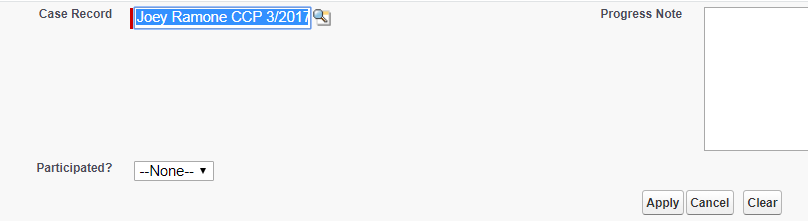
- Sometimes a client may have multiple case records. If that is the case, choose the CFRC case record OR the case record in which they are currently enrolled.
2. Mark that the client participated and click Apply.
3. Click Save to save all your changes.
When you can't find a client
If the client isn't in the Main Client section, its possible they aren't the head of household in CoDa. Search for them again in the Case Participants section.
If a client doesn't show up in any of the sections open up another tab and look for the client in CoDa by going to the search bar and searching the client's first name, last name, or date of birth. Sometimes names are misspelled in the database but by searching a few different options you can find the alternate spelling and correct it if there is an error, or add the client under the alternate spelling in the group.