
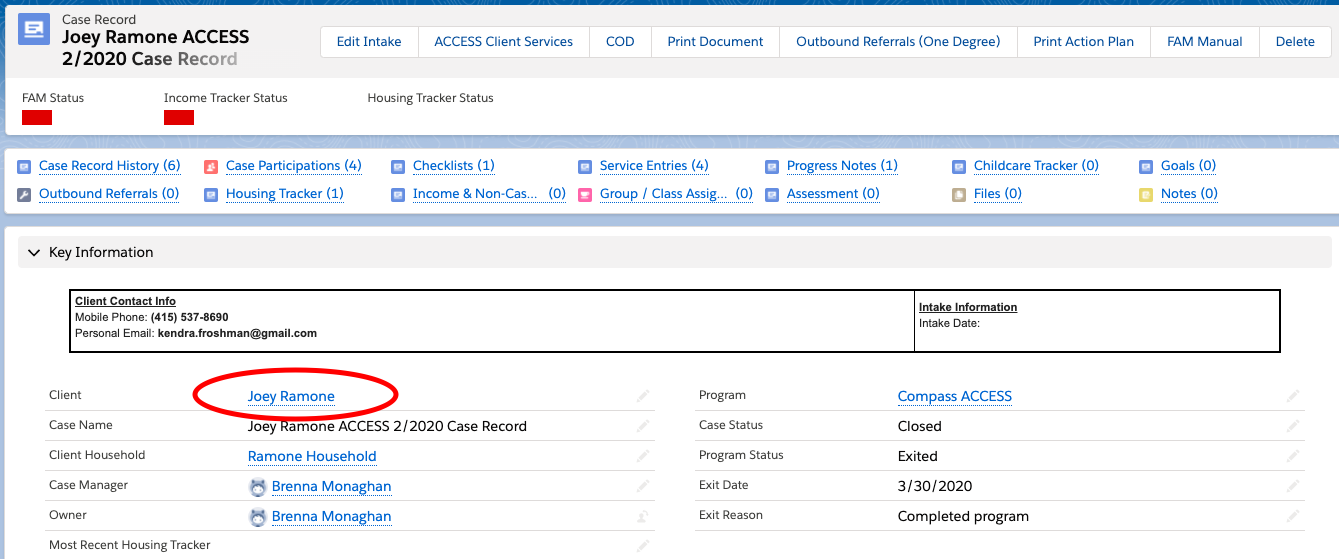
- From your client's case record, click to navigate to their Client record
- On your client's Client record, click Referral/Screening/Intake button

- Provide the details required by that program's form and any extra you may have
- Save and you're done!
Q: How will you know if a referral has already been made?
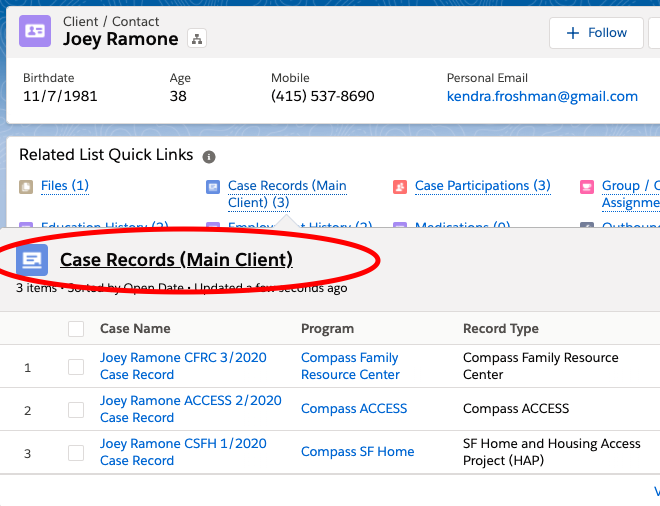
A: Go to the Client Record and see if the client has a recent case record for that program
Every time you make a referral in CoDa to another Compass program, a case record for that program is created, usually with the Program Status 'Referred'. Go to the client page and see what case records the client has - if there is a recent case record for that program then you (or someone else ) made the referral!
A note about Clinical Referrals:
Due to the confidential nature of clinical case records, case managers who make referrals to clinical will only be able to see the clinical case record up until the point that Susan assigns a therapist for the case. After that however, a case manager is still able to see if the client is connected to clinical services by going to their Client Record and looking at the fields All Active Programs and All Programs. If you see the acronym CCS in either one of these fields, your client is either actively involved in clinical services or has been in the past.
