(We'll be using "Joey Ramone Test" client to demonstrate how to create a new PFS in Salesforce)
1. Go to your client's Case Record.
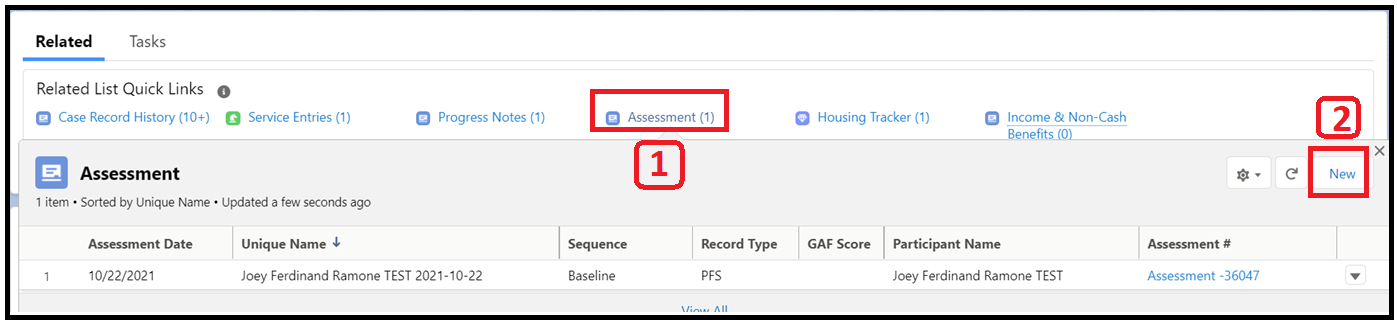
2. in "Related List Quick Links" section, pause your mouse over "Assessment". This action should make the pop-up window appear that look like the image below.
3. Click on "New" button at the upper right corner in the pop-up window.
4. Choose record type: PFS.
5. Complete the survey
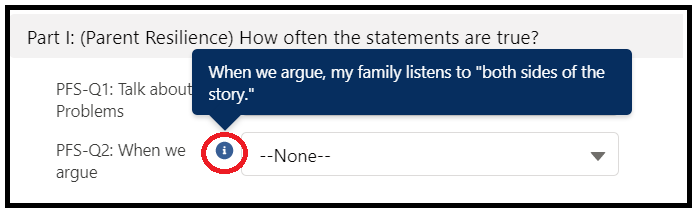
to view the full sentence of a particular survey question, move your mouse over the info bubble.