
We're using "Joey Ramone Test" client as an example to make the request.
How to submit a Household Request for AAF?
1. Go to Joey Ramone Test client page
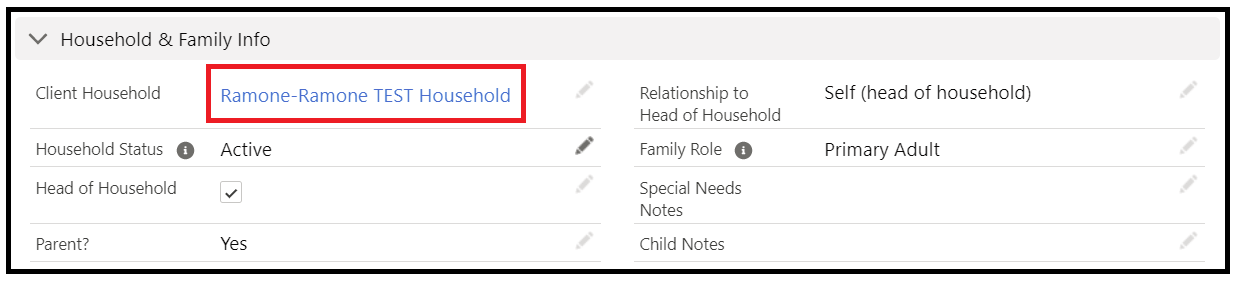
2. From this client record page, click on the hyperlinked "Client Household" field shown below (Red box), this will take you to the client's Client Household page.
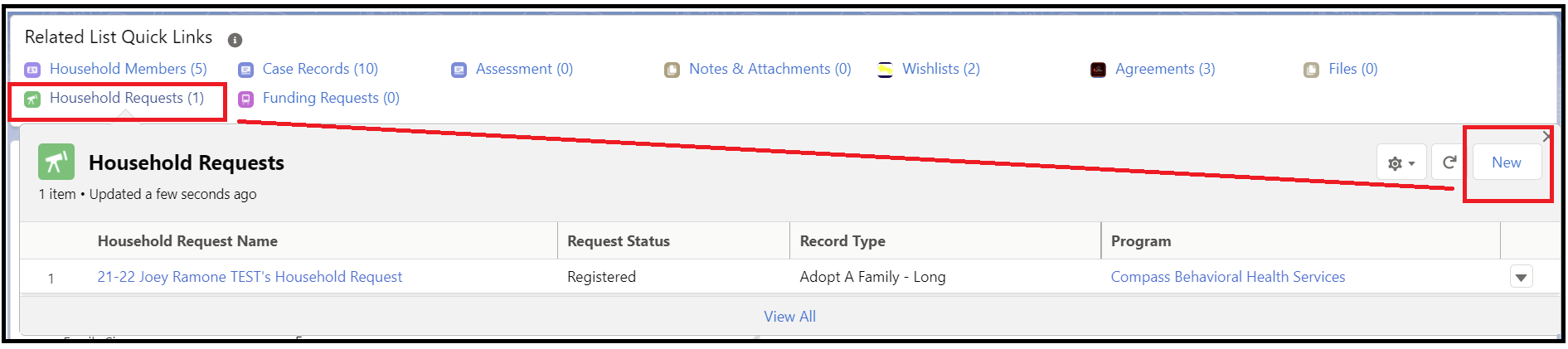
3. From the Client Household Page, under Related List Quick Link section, move your mouse over "Household Requests". This brings up a mini page where you can click on the "New" button at the upper right corner, as shown below.
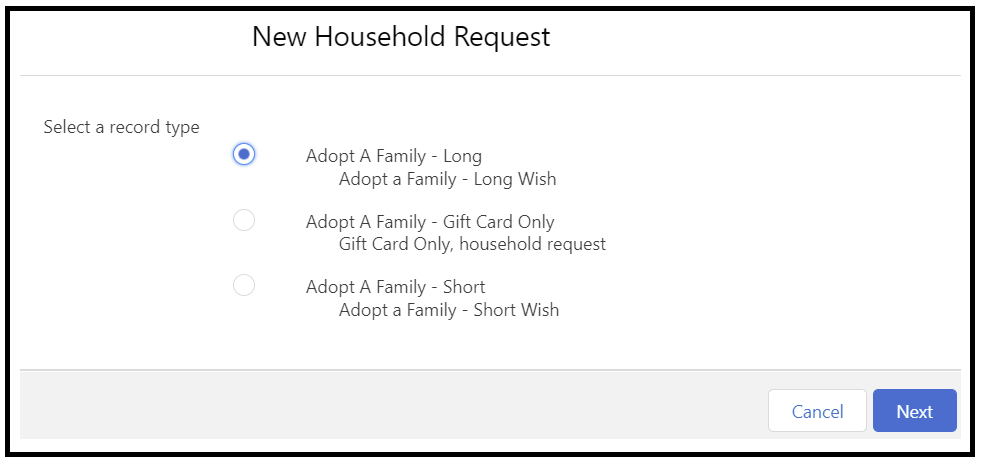
4. Select a record type, Complete the form and then Save.
5 Important fields in the form you should pay attention to
Household Information Section
Household Request Name: just type any random character here, upon Save of the page, our automation rule will create the Name for this request. (Note this system field cannot be left blank)
Program: Look up your program (The case manager's Program)
Compass Event: Look up by typing "Adopt a Family", then choose the correct event for current fiscal year.
Client Household: Look up and choose the household record
Main Client: Look up and choose the Primary Adult of the household
Request Status: No need to manually select any option here. The default is set to "Registered" when you first created the Household Request. Later on when the request moves into other stages, such as when the Household request is assigned to a donor (by Kris), this field will automatically gets updated to the appropriate stage.
Request Data Tracking Section
Request Submitted Date: Date you submitted the Request.
Request Submitted By: CM who submitted the Request.
Request Assigned Date: (Kris Only)
Request Assigned Opportunity: (Kris Only) not visible for Program Staff.
AAF Dropped Off Date: (Kris Only)
AAF Picked Up Date: (Kris Only)