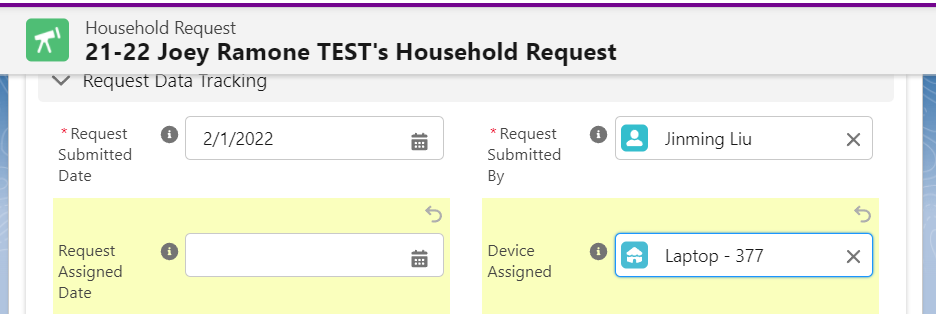
Go to the Device Request record page, Request Data Tracking section, as shown
Fill out the following fields (Note: only Admin and Andres has permission to edit these fields)
Request Assigned Date: The Date you assigned the device to this request
Device Assigned: Lookup the device you wanted to assign to this request.
Save
Upon Saving the record. Salesforce automation will send out notification email to the Case Manager (Request Submitted By field) who made the request.
Case Manager will make arrangement/appointment for Client to come pick up the Device. In this case, the Device to be picked up by the client is Labelled: Laptop - 377.