When the device is picked up by the client on-site, the staff who gave the device to the client should log this service in Salesforce. This action is very important to help maintain quality data and ensure accurate inventory tracking and reporting. So, please take the time to log the service.
Go to "Household Requests" Tab in Salesforce, choose List "Device Requests Assigned". This list shows all Assigned Requests. If the client told you that they're here to pick up Laptop 377, you can verify the request by clicking into the record at row 7, under "Request Name" column.
You then will be taken to the Device Request page for Dunia Umanzor. You verified that the Name of the client and the Laptop number are both right. You can get the laptop from storage and give it to the client.

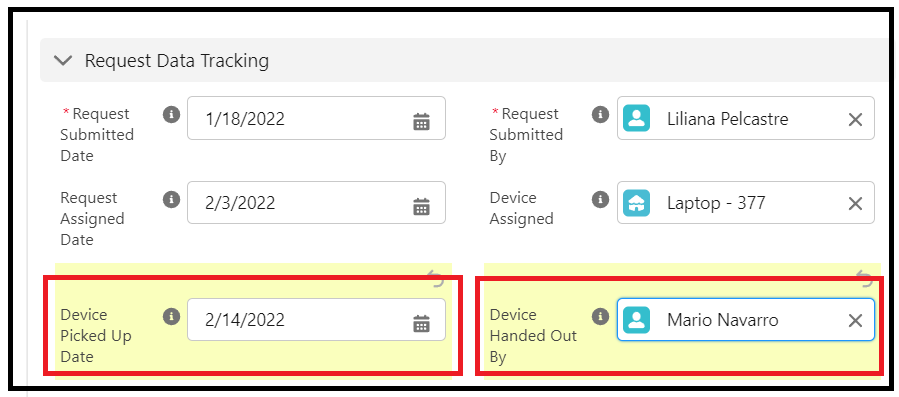
You will then fill out the following fields. (in this case, if Mario handed out the device)
Device Picked Up Date: 2/14/2022
Device Handed Out By: Mario Navarro
Click Save to save the record.