
If the client wants to opt out of receiving Group Messages (sent through Bulk Texting).
1 client notifies Case Manager that he/she wanted to opt out of receiving Group Messages
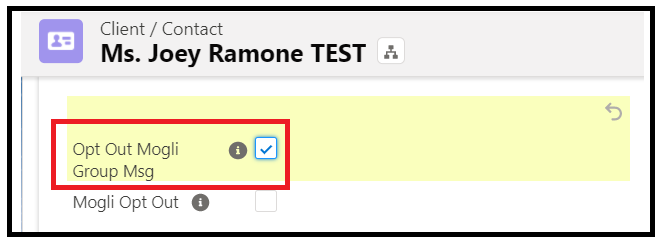
2 CM opens Client Page in Salesforce, check the "Opt Out Mogli Group Msg" field, then Save.
If the client wants to opt out of All Mogli text messages
1 client notifies Case Manager that he/she wanted to opt out of receiving any Mogli text messages
2 CM opens Client Page in Salesforce, check the "Mogli Opt Out" field, then Save. This will disable the Mogli Conversation on the right-hand side of Case Record page, effectively blocking from sending any text messages.
